How to Apply for a Free Government Tablet: Step-by-Step Guide
Wondering how to apply for a free government tablet? The first step is finding a legitimate program that actually offers devices. While government assistance programs can help eligible households access affordable internet services, they do not automatically provide free tablets.
Depending on where you live, you may find tablet assistance through provider promotions, nonprofit organizations, schools, or community technology programs.
This guide walks you through eligibility checks, application documents, provider selection, and the steps to take before submitting your information.
Where Can You Apply for a Free Government Tablet?
There is no single nationwide federal application that guarantees a free tablet. Different programs serve different needs, and not all offer devices that are free to keep.
| Assistance option | Where to apply | What to expect |
|---|---|---|
| Lifeline | Official Lifeline application process | Discounted eligible phone or internet service |
| Wireless provider promotions | Participating provider’s official website | Device offers subject to availability and terms |
| Nonprofit technology programs | Organization’s application or device store | Donated, discounted, or refurbished equipment |
| School technology programs | School or college support office | Device assistance or temporary loans |
| Community and library programs | Local organization or library | Device lending or other technology resources |
Before applying: Confirm that the organization offers tablets, not just phone service or internet discounts.
Step 1: Check Free Government Tablet Eligibility
Eligibility depends on the program offering the device.
If you are exploring Lifeline-related assistance, you may qualify through household income or participation in certain government benefit programs.
Free Tablet with EBT or SNAP
Receiving SNAP benefits can establish eligibility for Lifeline. However, having an EBT card does not guarantee a free tablet.
Read our Free Tablet with EBT guide for SNAP-specific documentation and eligibility information.
Free Tablet with Medicaid
Medicaid is another Lifeline-qualifying program. Applicants may need proof of participation if automatic verification is unsuccessful.
Explore our Free Tablet with Medicaid guide.
Other Eligibility Options
You may also qualify for Lifeline through SSI, Federal Public Housing Assistance, Veterans Pension or Survivors Benefit, certain Tribal programs, or qualifying household income.
Independent device assistance programs may have different rules.
Step 2: Find a Legitimate Free Tablet Provider
Once you understand your eligibility, look for organizations with actual tablet offers.
Start by researching participating Lifeline companies, nonprofit device programs, and local community assistance.
How to Find Tablet Providers Near You
- Search for participating companies by ZIP code.
- Visit their official websites.
- Confirm whether a tablet is currently offered.
- Review the device model, availability, and total cost.
- Check whether enrollment in a service plan is required.
The official Lifeline Companies Near Me directory can help you find participating service providers. However, the directory does not confirm tablet availability.
For additional options, explore our Free Government Tablet Providers guide.
Step 3: Prepare Your Free Tablet Application Documents
The documents required depend on the organization and eligibility route.
For Lifeline applications, verification may happen automatically. Additional documents are requested only when necessary.
Common Documents You May Need
- Proof of identity: An accepted identity document if verification is required.
- Proof of benefits: An official SNAP, Medicaid, SSI, or other qualifying program document.
- Proof of income: An accepted income document when applying through income eligibility.
- Proof of address: Additional residential documentation if requested.
Check Your Documents Before Uploading
Make sure the information is readable, current where required, and consistent with your application.
Do not assume that an EBT or Medicaid card alone will always satisfy documentation requirements.
Submit sensitive documents only through a verified, authorized application channel.
Step 4: Complete the Lifeline Application Online or Through a Provider
If your chosen option involves Lifeline, the official program offers three main application routes.
Online: Apply through the official Lifeline eligibility application.
With a company: Contact a participating phone or internet provider for application assistance.
By mail: Complete the official paper application and send it to the designated Lifeline Support Center.
Oregon and Texas use state-specific Lifeline application procedures.
You can review the available routes through the official Lifeline application page.
Important: Lifeline approval qualifies you for an eligible service benefit. A separate tablet promotion, if available, may require additional steps.
Step 5: Verify the Tablet Offer Before Accepting It
A tablet advertised as free may involve conditions that are not immediately obvious.
Use this checklist before accepting an offer.
| Question | Why it matters |
|---|---|
| Is the tablet free to keep? | Some programs provide temporary loans |
| Is there an upfront charge? | Device discounts do not always cover the full price |
| Are shipping or activation fees required? | Additional costs can change the final amount |
| Is a service plan required? | Some promotions have enrollment conditions |
| Which tablet model will I receive? | Specifications and availability may vary |
| What happens if I cancel service? | Device and service terms may differ |
If the provider cannot clearly explain the offer, consider another option.
Step 6: Check Your Application Status
After submitting an application, keep any confirmation number, email, or account reference provided.
The correct place to check your status depends on what you applied for.
Lifeline Application Status
If you applied for Lifeline eligibility, use the official application channel or contact the Lifeline Support Center.
Tablet Order or Delivery Status
If you enrolled in a separate provider promotion, contact that provider for device approval, shipping, or delivery information.
The Lifeline Support Center does not manage individual provider tablet shipments.
If Your Application Is Denied
Review the stated reason before applying again. Common issues include incomplete documents, inconsistent personal information, unverified eligibility, or household benefit restrictions.
Correct the specific problem and follow the official instructions for resubmission or further verification.
How to Avoid Free Government Tablet Application Scams
Be cautious when a website promises guaranteed approval or asks you to provide sensitive information before identifying the actual program.
Watch for these warning signs:
- Claims that everyone automatically qualifies for a free tablet
- Requests for payment before explaining the device offer
- Websites advertising new ACP enrollment
- Unverified application links requesting sensitive documents
- No clear provider identity, eligibility terms, or contact information
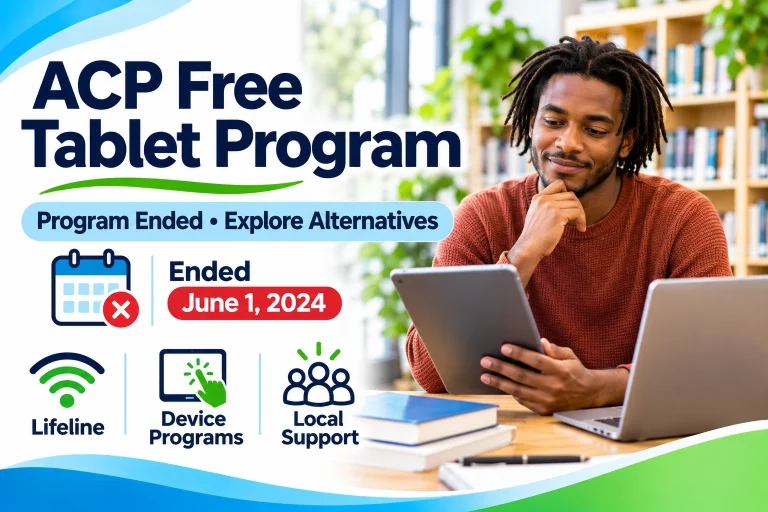
The Affordable Connectivity Program (ACP) ended on June 1, 2024. Its former device discount is no longer available through new ACP applications.
If you cannot find a legitimate device promotion, explore our Free Tablet Assistance Programs guide for community and nonprofit alternatives.
Frequently Asked Questions
How do I apply for a free government tablet online?
First, identify an organization with a current tablet offer. Check its eligibility requirements, prepare any required documents, and submit your application through its official website or designated channel.
Can I apply for a free tablet with EBT?
SNAP participation may qualify you for Lifeline, but a free tablet depends on a separate available device offer.
Can I apply for a free tablet without Medicaid?
Yes. Tablet assistance programs may have different eligibility requirements. Lifeline can also be accessed through qualifying income or other approved programs.
Is the free government tablet application free?
Lifeline eligibility applications do not require a government application fee, but separate device programs may charge for equipment, shipping, or services. Confirm all charges before proceeding.
How long does it take to receive a free tablet?
Processing and delivery times depend on the organization and device availability. Ask the actual device provider for its current timeline.
Can I apply for more than one government tablet?
There is no universal federal tablet entitlement. Lifeline generally allows one benefit per eligible household, while independent device programs set their own rules.
Final Thoughts
Applying for tablet assistance is easier when you separate service eligibility from actual device availability.
Start by checking your eligibility, identifying a legitimate tablet program, preparing the required documents, and reviewing all costs before applying.
A careful application process can help you avoid misleading offers and find assistance that matches your needs.